
How To Check NOL Card Balance on Mobile
Have you ever stood at a busy Dubai Metro station during rush hour? You tap your card, and a warning message of “Insufficient Balance” shows up, and the door remains closed. It’s not just an inconvenience; it can ruin your mood, too. According to the 2026 RTA regulations, a minimum fare of AED 7.50 applies to most journeys.

This amount covers the maximum possible single-zone fare to make sure you never get stuck in the middle of your journey. Verifying your funds before you leave home is the only way to save both time and money. By using official apps and SMS services, you can verify your NOL card balance check on mobile while walking, driving, or sitting at home.
Official Methods for NOL Card Balance Check Online
The Roads and Transport Authority provides digital tools to track your account from anywhere. You no longer have to wait in long queues at machines to check your balance. Using an NOL card balance check through official channels provides information about your funds. Most travellers find these digital options more convenient. They help them save time and manage their budgets effectively. These official tools are designed for speed and accuracy. They let you monitor your account from home, at the office, or on your way to the station.
2026 NOL Balance Check Efficiency
| Method | Best For | Estimated Time | Tool Needed |
| NOL Pay (NFC) | Android/iPhone Users | 5 to 10 Seconds | NFC Smartphone |
| RTA Website | Desktop / Guest Users | 30 to 45 Seconds | Tag ID Number |
| SMS 5111 | No Data Connection | 20 Seconds | Basic Mobile |
| S’hail App | Multi-Modal Planning | 20 Seconds | RTA Account |
| Vending Machine | At the Station | 15 Seconds | Physical Card |
How to Check NOL Card Balance on Mobile
1. Instant Verification via NOL Pay App (NFC Scan)
The NOL Pay app is the most advanced mobile tool in 2026. It uses Near Field Communication (NFC) to read the chip directly from your physical card. This method provides the most accurate, real-time balance because it communicates directly with the card.
- Step 1: Open the NOL Pay app on your NFC-enabled smartphone.
- Step 2: Select the “Check Card Information” option on the home screen.
- Step 3: Tap your physical card against the back of your phone near the camera lens.
- Step 4: Hold the card steady for three seconds until the app reads the chip.
- Step 5: View your current balance, card status, and expiry date instantly on your screen.
2. Comprehensive Management via RTA Dubai App
For commuters who manage cards for family members or employees, the RTA Dubai App is the ideal solution. It allows you to link multiple cards to a single profile to monitor every family member’s card.
- Step 1: Log in to the app using your RTA credentials or UAE Pass.
- Step 2: Navigate to the “NOL” or “My Account” section.
- Step 3: Select the specific card you wish to check from your list.
- Step 4: The app displays the current balance and the timestamp of the most recent validated transaction.
- Step 5: Use this app to also view your 90-day travel history and identify any fare issues.
3. Quick Access via Mobile Browser (RTA Website)
If you do not want to download an app, the RTA website is fully convenient for mobile. This is the best method for guest users who only need a quick one-time check.
- Step 1: Open your mobile browser and go to the official RTA “Check NOL Balance” page.
- Step 2: Enter the 10-digit Tag ID found on the back of your physical card.
- Step 3: Complete the reCAPTCHA security verification.
- Step 4: Click the “Search” button to view your active balance and any pending credit.
4. Offline Verification via SMS 5111
This tool is for those users who lack a stable internet connection or an active data plan.
- Step 1: Open your mobile messaging app and start a new message.
- Step 2: Type your Nol Tag ID in the message body.
- Step 3: Send the message to the shortcode 5111.
- Step 4: You will receive an automated SMS reply within seconds containing your current credit and card validity.
5. Seamless Travel via S’hail App
The S’hail app is designed for multi-modal travel. It is particularly useful for those combining bus trips with the Metro.
- Step 1: Launch the S’hail app on your mobile device.
- Step 2: Tap the “NOL” icon on the main navigation bar.
- Step 3: Check the balance on your linked card to confirm you have enough funds for your planned route.
Why Your Balance Might Not Update Immediately
One common point of confusion for online users is the “Pending Credit” status. If you top up your card via the website or a mobile app without using NFC, the funds are held in the cloud. To move this money into your active balance, you must “tap” your card at a physical reader. This can be a metro gate, a bus validator, or even a solar-powered parking meter. Once you tap, the system updates your card’s chip, and your new balance becomes available. Always tap before starting your journey to meet the minimum balance requirement.
Choosing the Right Card for Mobile Management
In 2026, the type of card you own determines how much control you have via your mobile device.
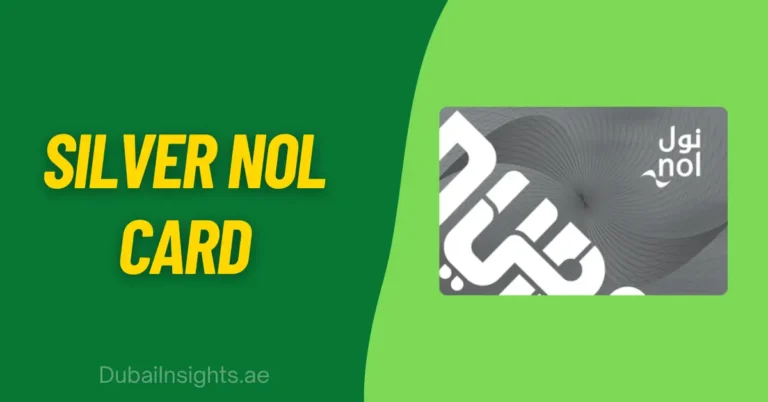
- Silver Card: The most common choice for regular travellers. It supports all mobile check methods, but does not provide balance protection if it is lost unless you have registered it online.
- Gold Card: This card is a perfect option for those who use the premium Metro cabins. It works exactly like the Silver card for mobile checks, but deducts double the regular fare.
- Blue Card (Personal): The gold standard in security. It is linked to your Emirates ID and photo. If you lose your card, you can lock it through the mobile app and transfer the balance to a new card.
- Digital NOL Card: This card is available for Samsung and Huawei users. This card lives entirely inside your phone’s wallet. You never need to worry about physical NFC scanning because the balance is always visible on your screen.
Troubleshooting Mobile and Online Errors
Technical errors may occasionally affect your balance check. If the NOL Pay app fails to read your card, try removing your phone case. Many mobile phone cases are too thick for the NFC signal to pass through. Make sure your card is not bent or cracked, as this can damage the internal antenna.
If the website displays an error when checking the NOL card balance online, verify that you have entered all 10 digits of the Tag ID correctly. The RTA system sometimes undergoes scheduled maintenance, usually late at night. During these times, balance data might be temporarily unavailable.
Smart Habits for 2026 Commuters
- Set Auto-Top-up: Link your bank card in the app to automatically add credit when your balance reaches AED 30.
- Monitor Expiry: Physical cards expire after 5 years. Check your date online to avoid sudden card failure.
- The 180-Minute Rule: You can switch between bus and metro within 30 minutes at the single-trip price, provided the total journey is under 180 minutes.
Summary
Mobile technology has transformed our daily travelling. By using these five official NOL card balance check methods, you can manage your transport costs with total transparency and zero physical contact. Being aware of your balance requirements is the simplest way to make sure your journey remains smooth, efficient, and stress-free.
Need help with checking your Nol card balance, using the Nol Pay mobile app, or general Nol card guidance? We are here to support you. Contact us today and make your commute easy.



![How Sandstorms Damage Your Car in the UAE [Engine & Cabin Protection Guide]](https://dubaiinsights.ae/wp-content/uploads/2025/11/How-Sandstorms-Damage-Your-Car-in-the-UAE-Engine-Cabin-Protection-Guide-768x402.webp)
